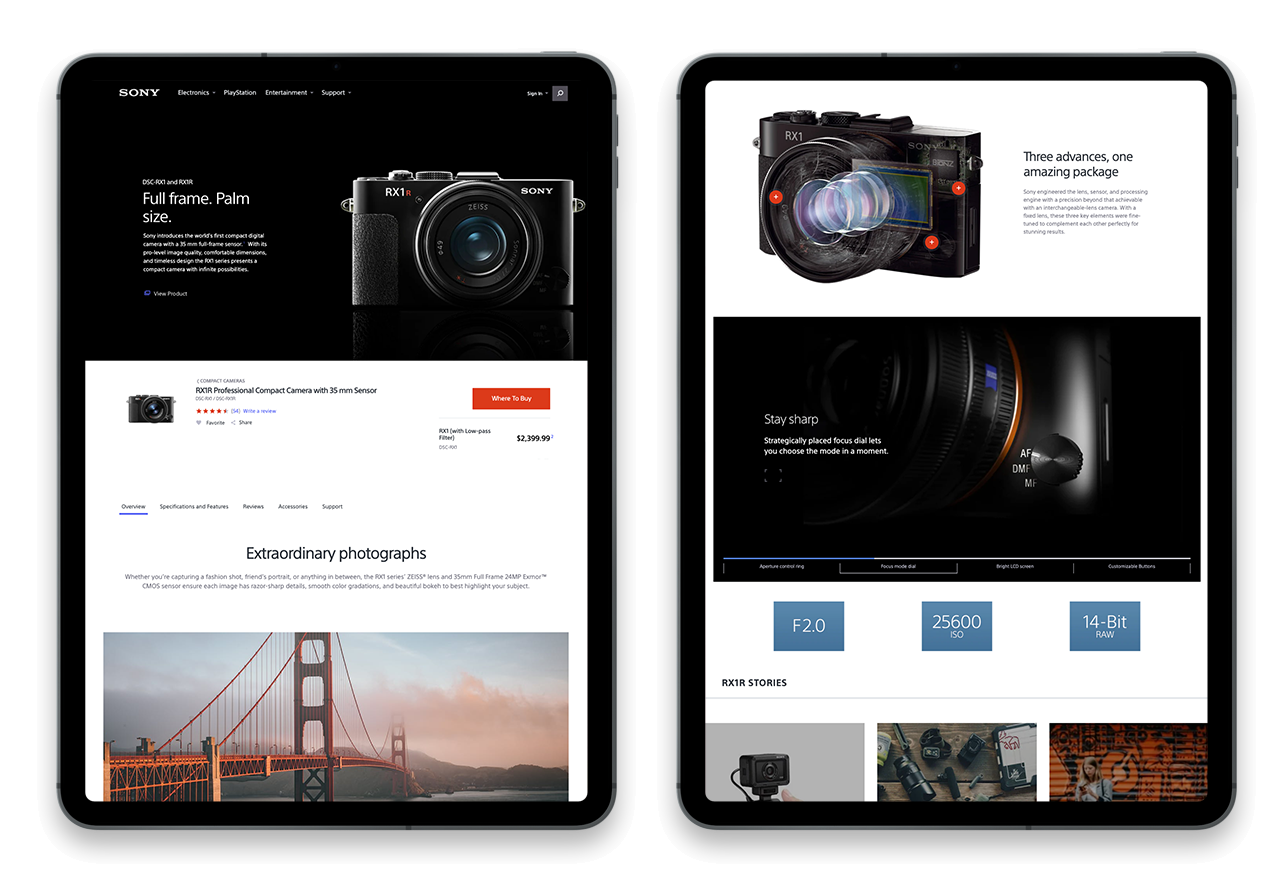
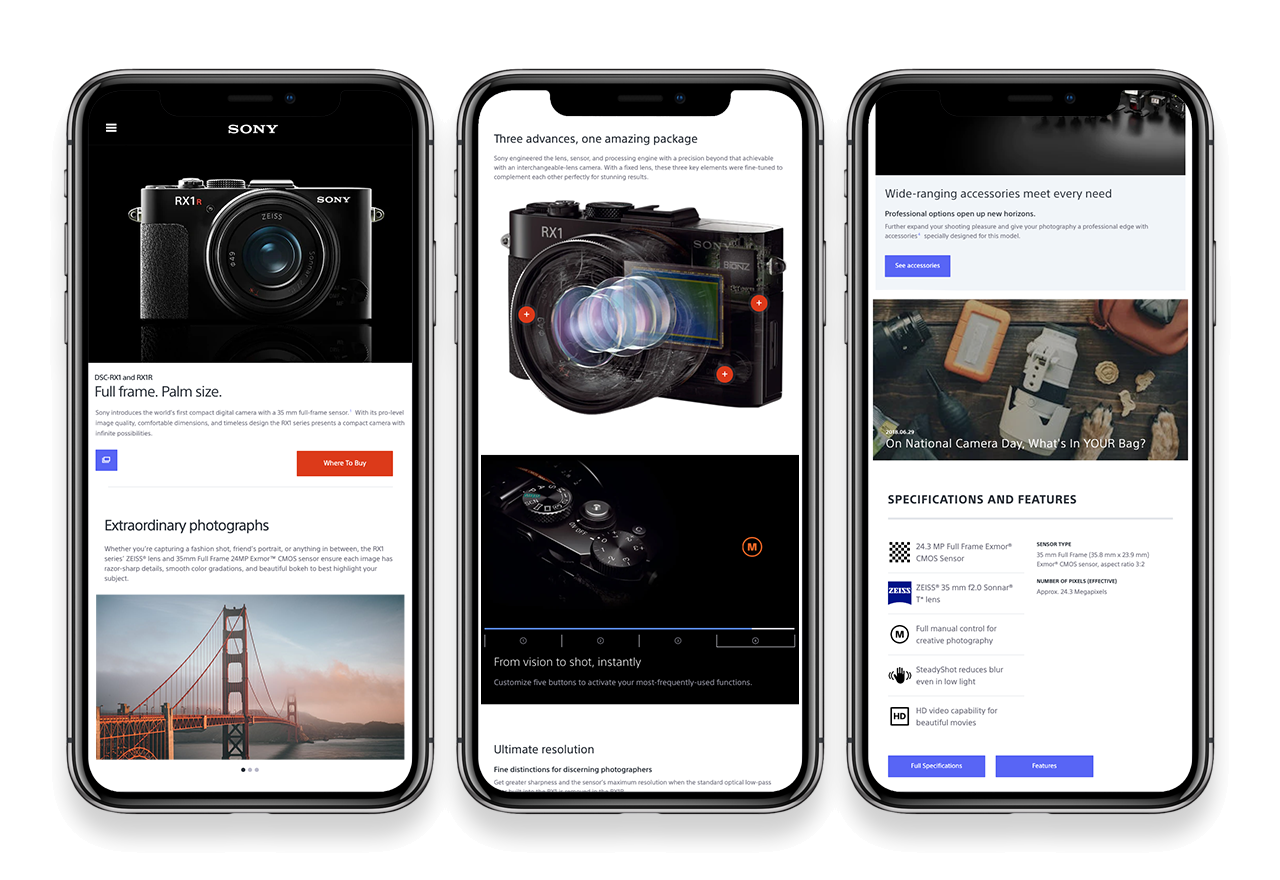
To help shoppers before they buy, I extended the design system for Sony Imaging. They could better understand the strengths of each product, compare specs and pair them with the right lenses, which made for a better purchase journey. More than a decade later, the system supports product pages in more than 120 countries and 30 languages, and Sony Imaging still builds new products on this design system.
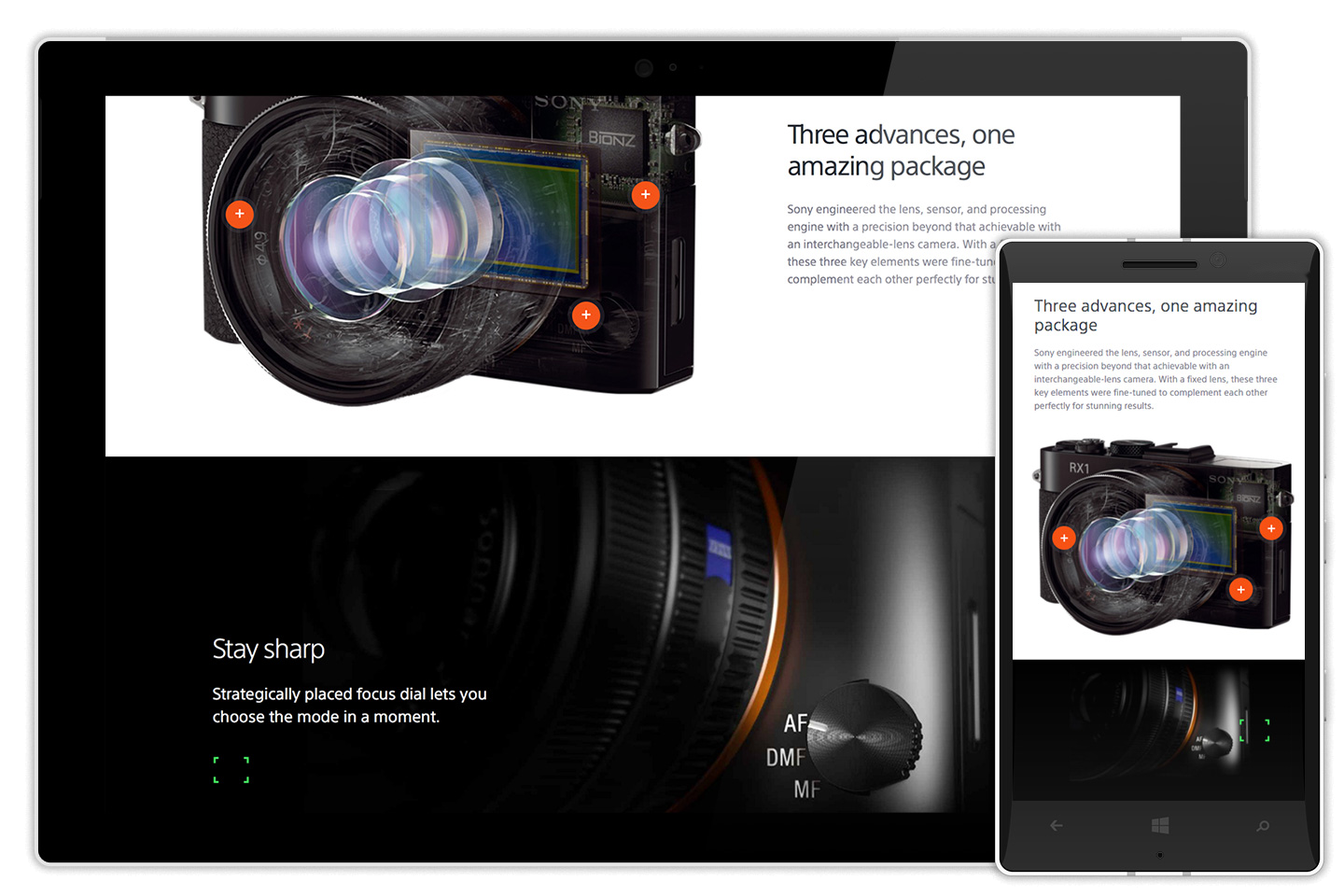
Every Sony product page is built from modules: small, reusable parts that each have their own rules and behaviour. For Sony, I developed new modules that did not exist before: a comparison module, a video chapters module and a hotspots module. They tell the story of Sony's legacy and strengths in an interactive way.
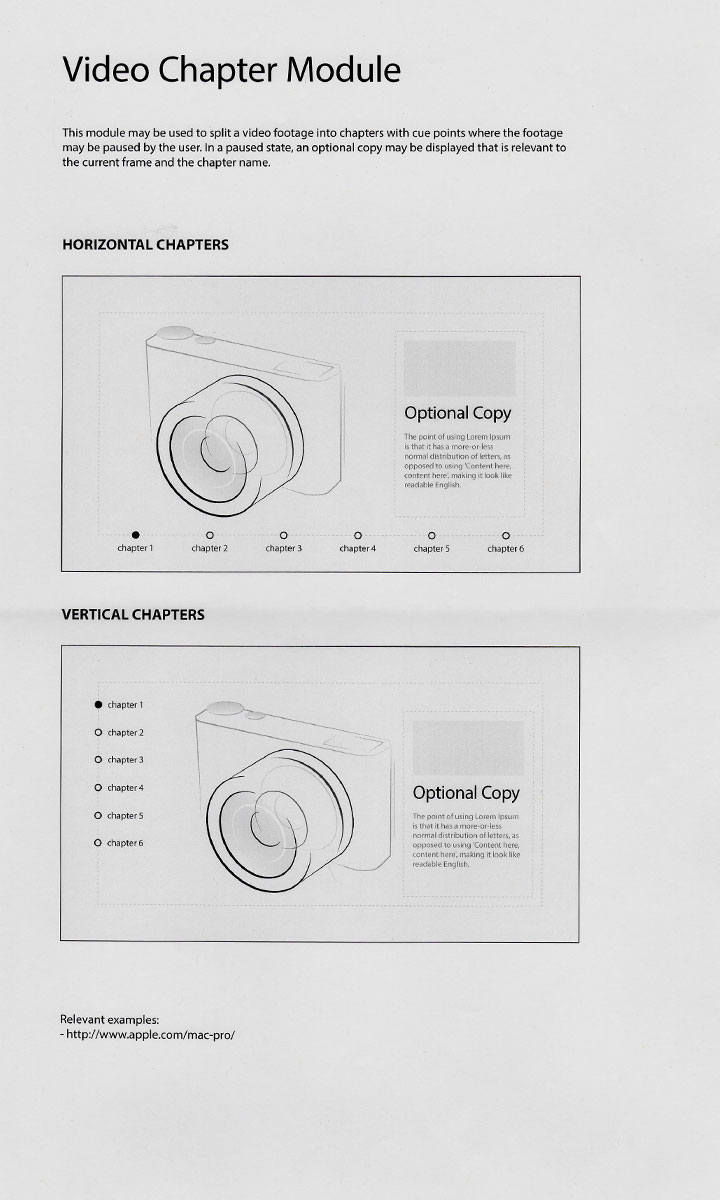
The interactive Video Module splits a video into chapters. Each chapter has a cue point where the viewer can pause the video and when paused, a feature description is displayed relevant to that chapter.
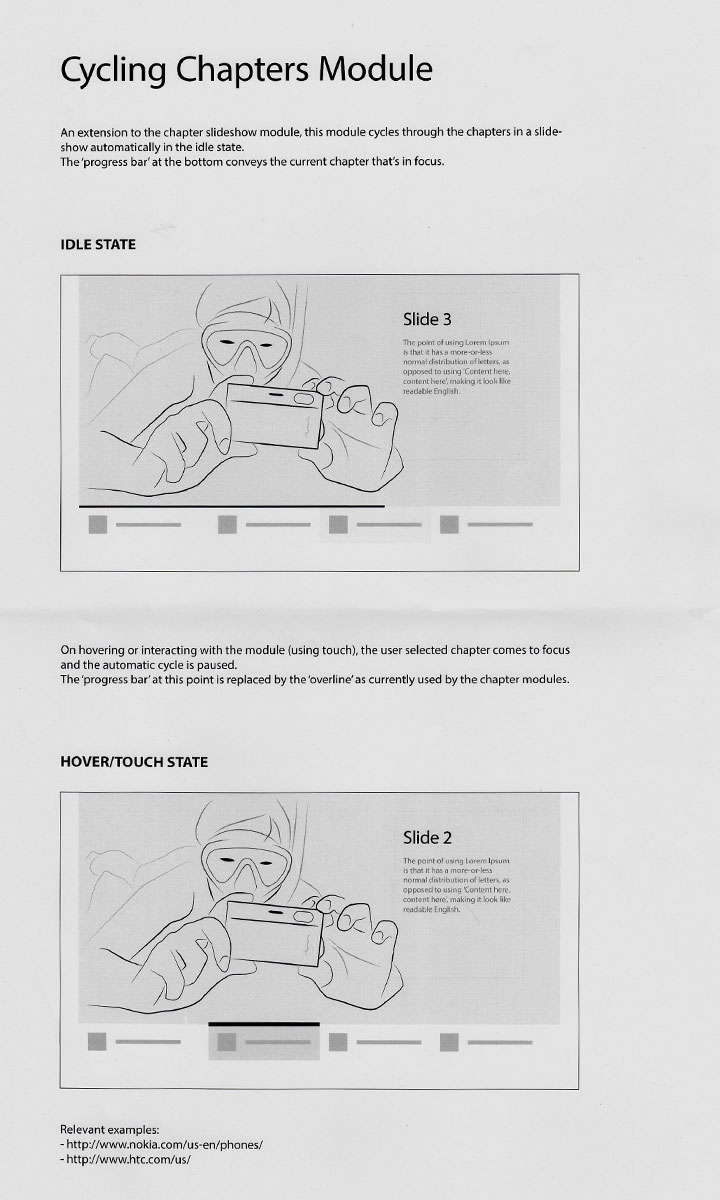
The Chapter Module brings several stories together in one place. It moves through the chapters on its own with a progress bar at the bottom showing the chapter in focus. The user may hover to pause the cycle.
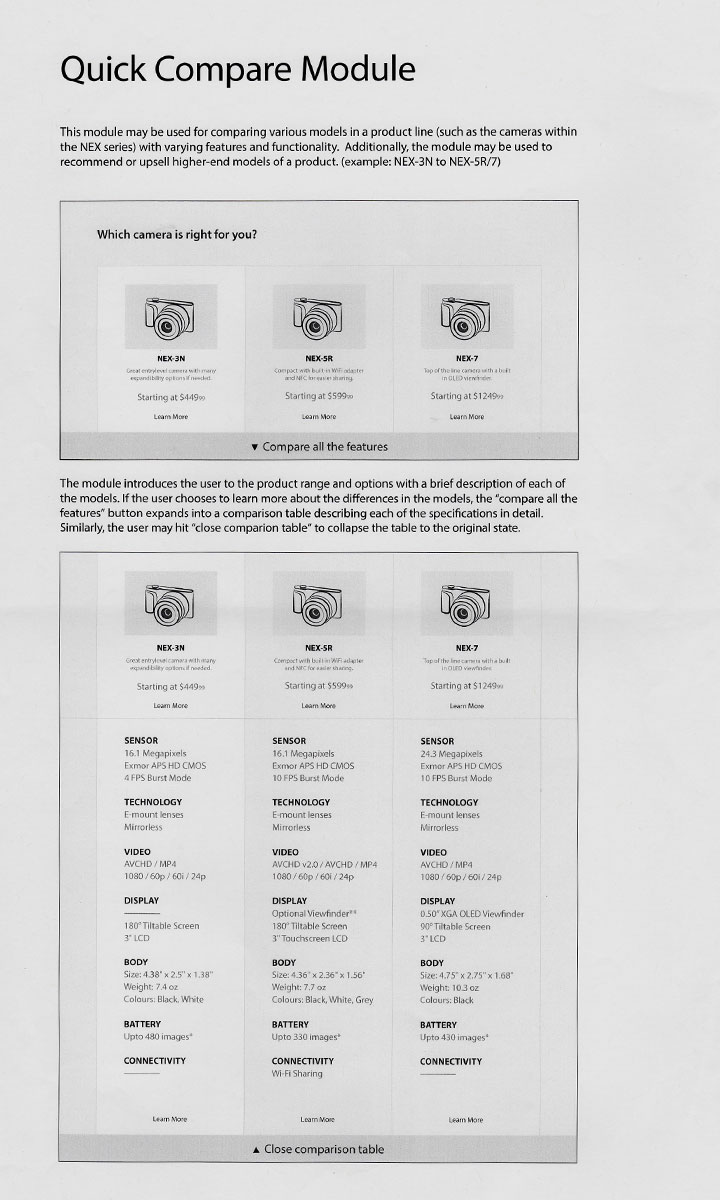
Shoppers could not tell camera models apart from their names alone. To fix this, the Quick Compare module lets shoppers compare the models in a product line, and see how their features and functions differ.
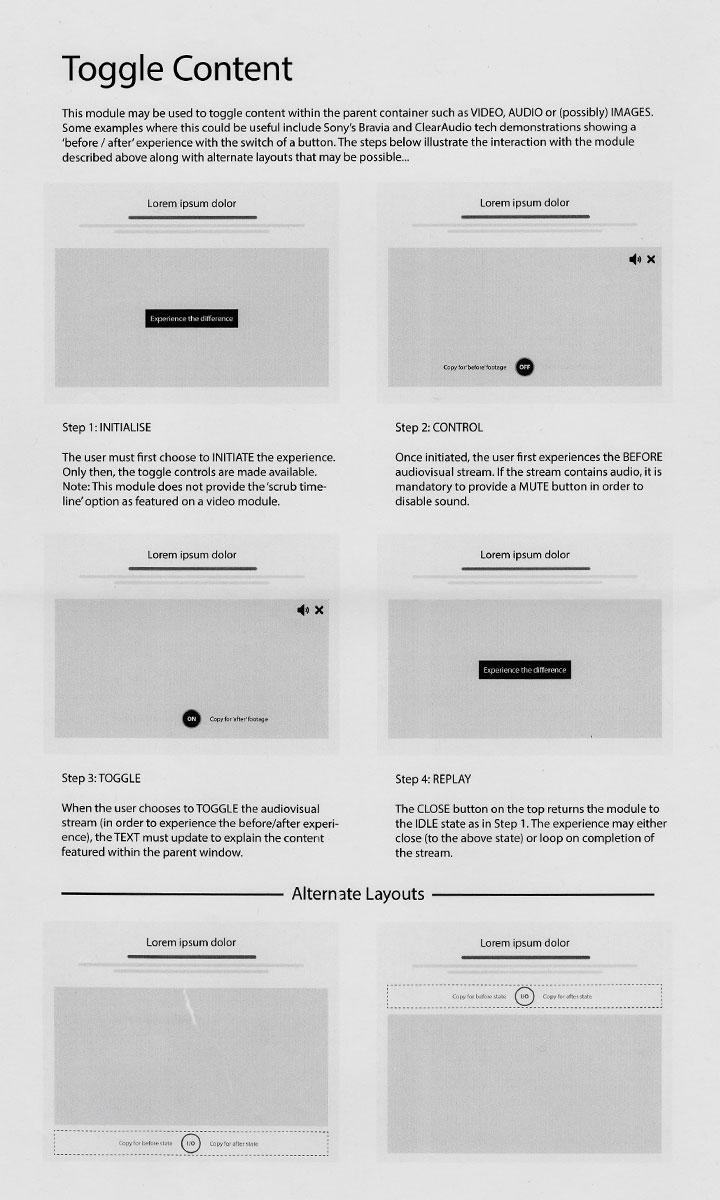
The toggle module switches between a before/after state to show what a feature does. It became an essential part of Sony's Bravia and ClearAudio demos, where one press of a button lets people experience surround sound, for example.
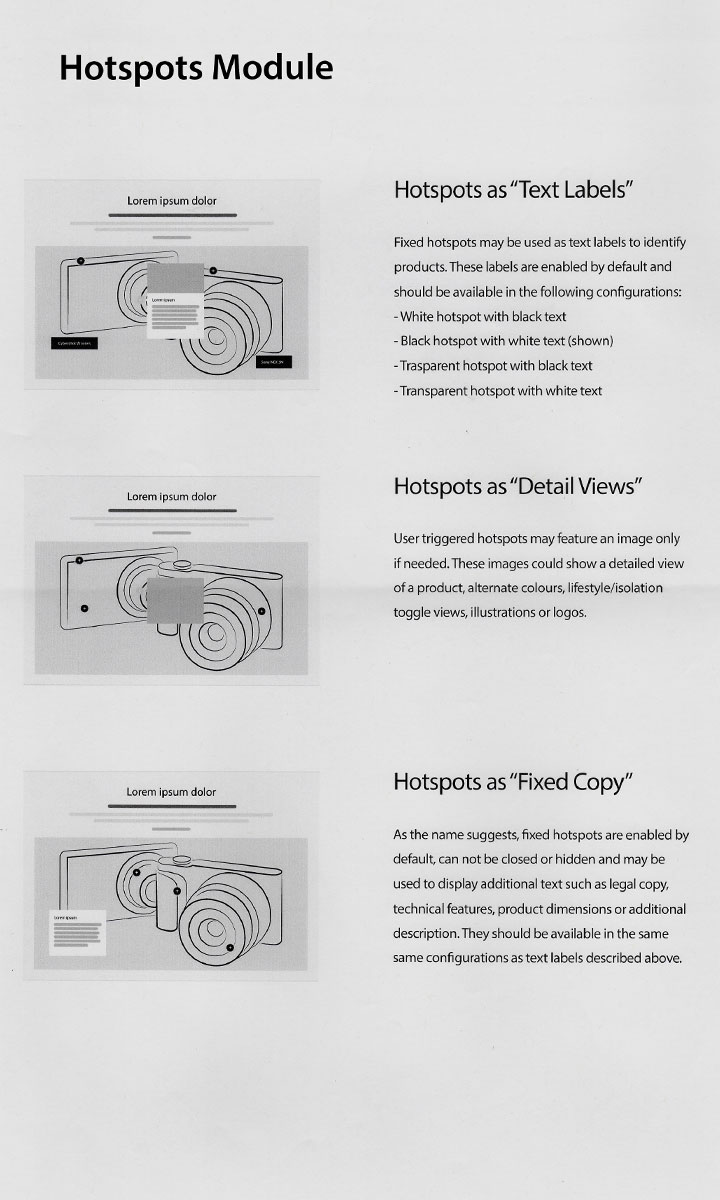
Hotspots were a common feature of Sony's digital experience, but over time they became repetitive. We looked for ways to make them more useful for each product category befond Sony Imaging as illustrated in the images above.
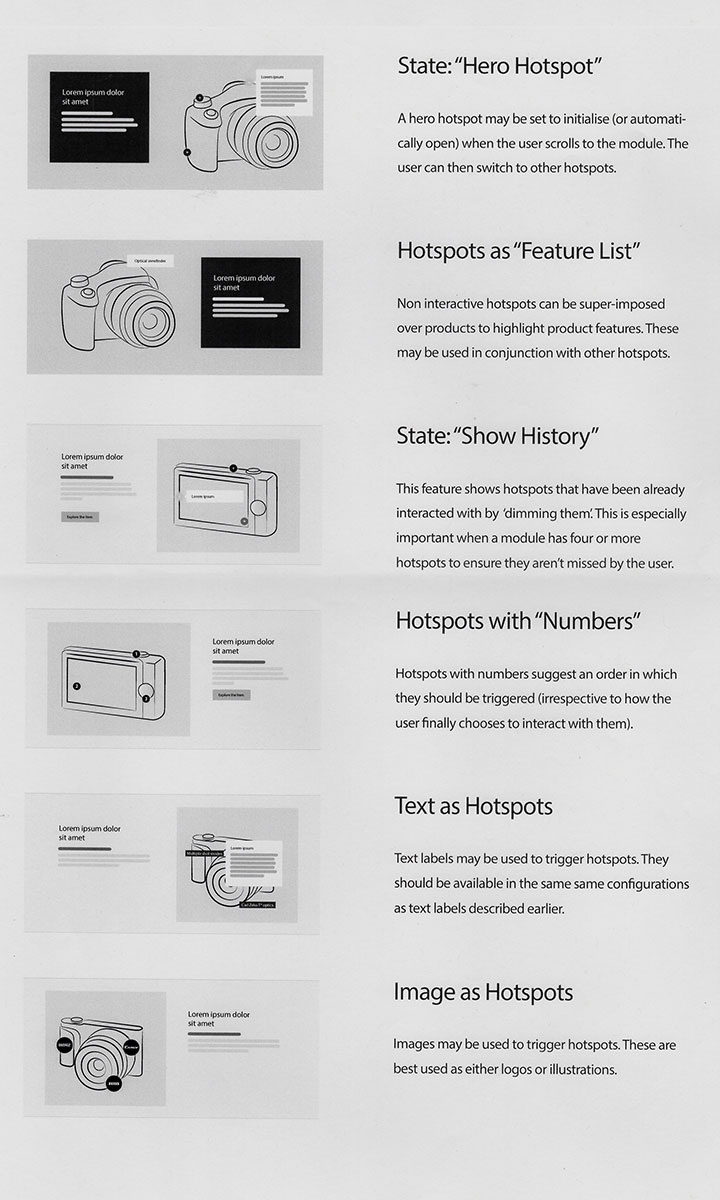
In conclusion, the extended module library provides a flexible and scalable solution for creating engaging digital experiences across various product categories. Over a decade later, the modules are still in use today.
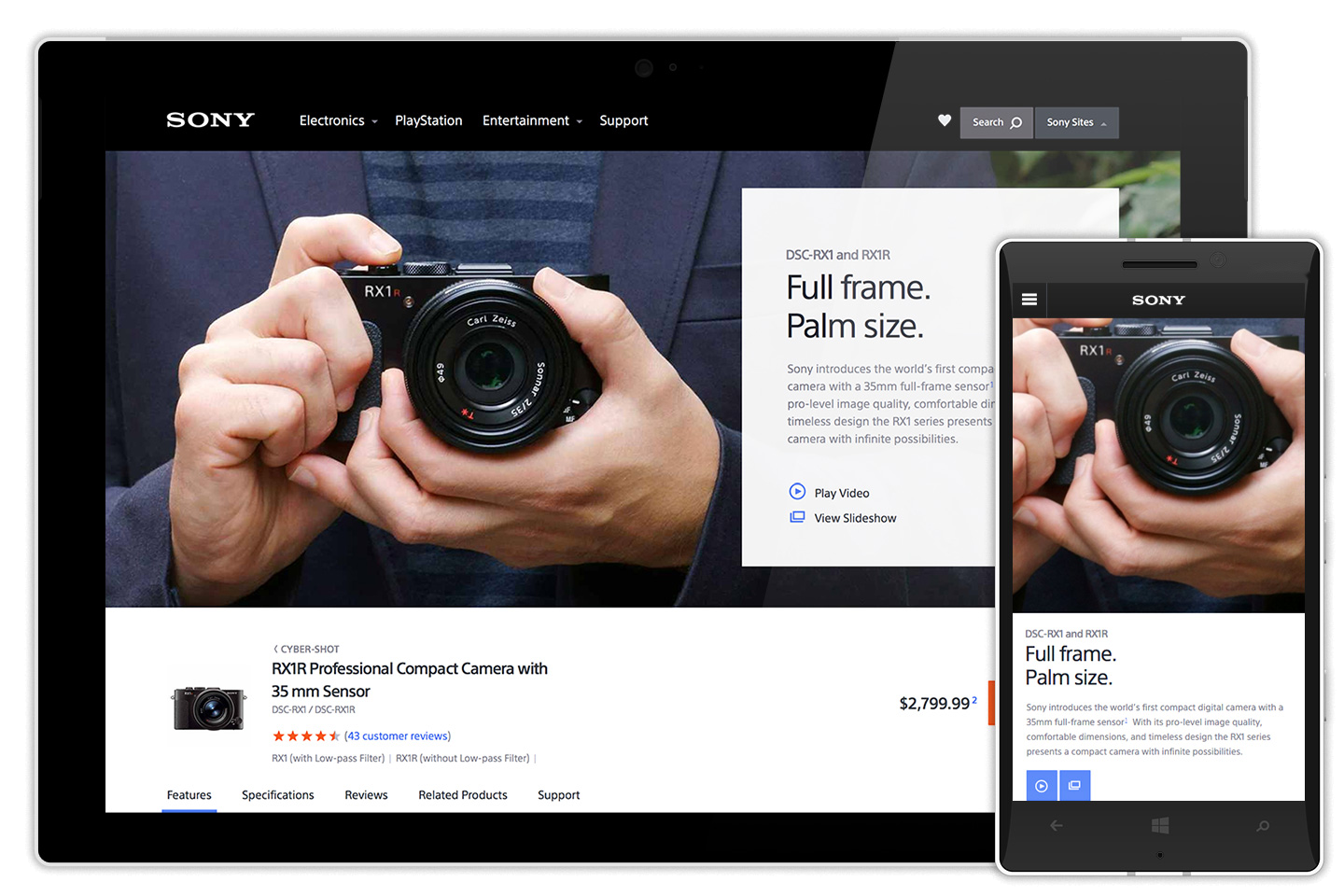
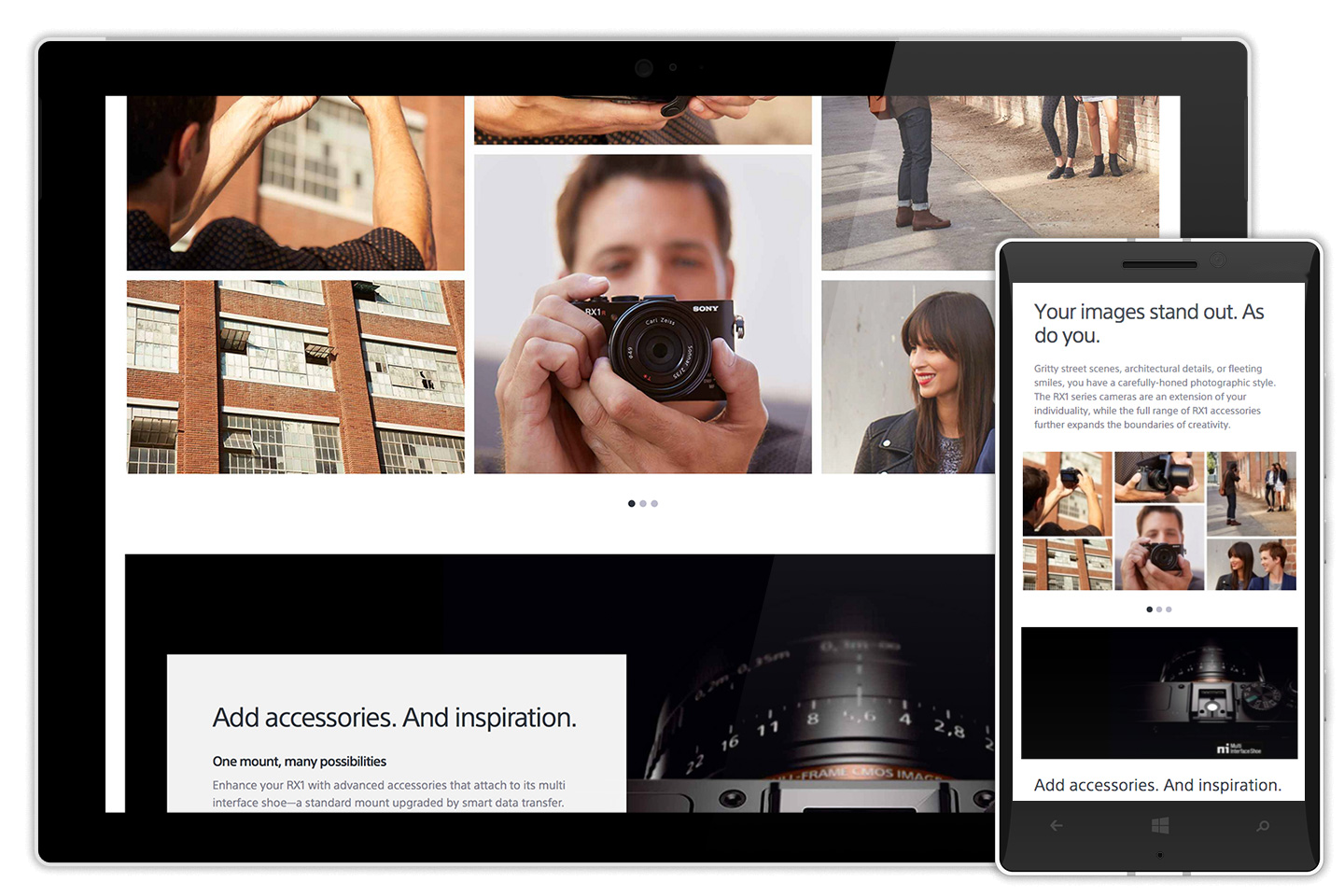
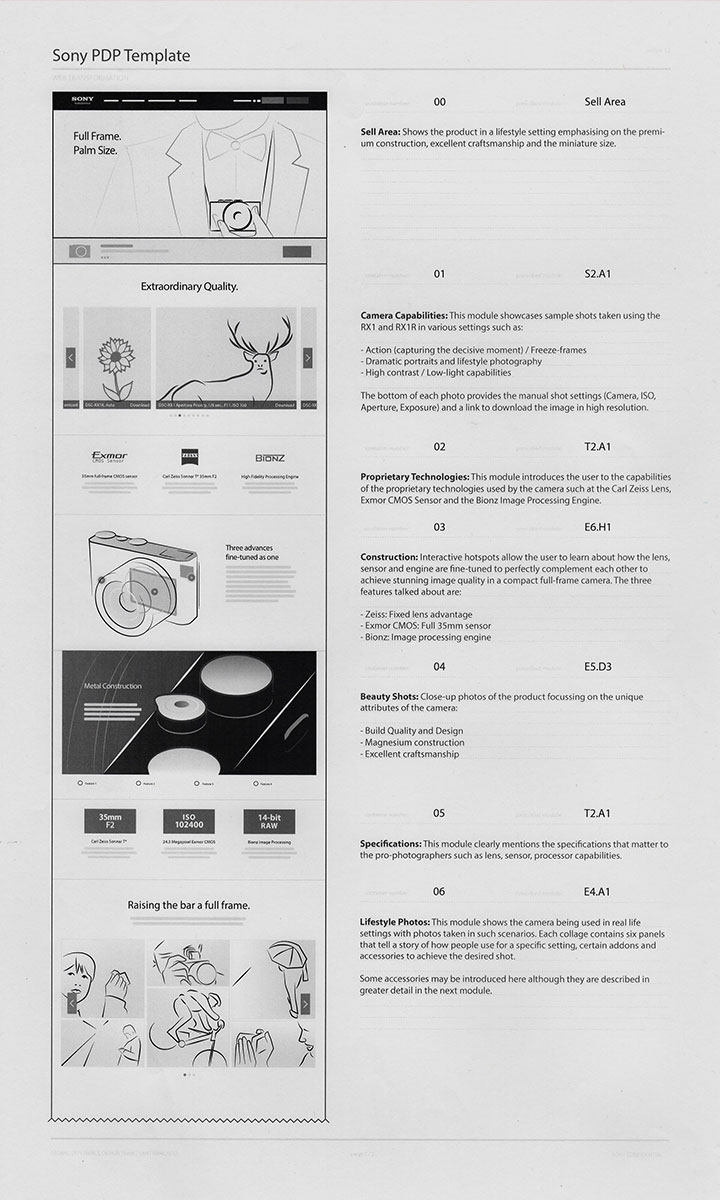
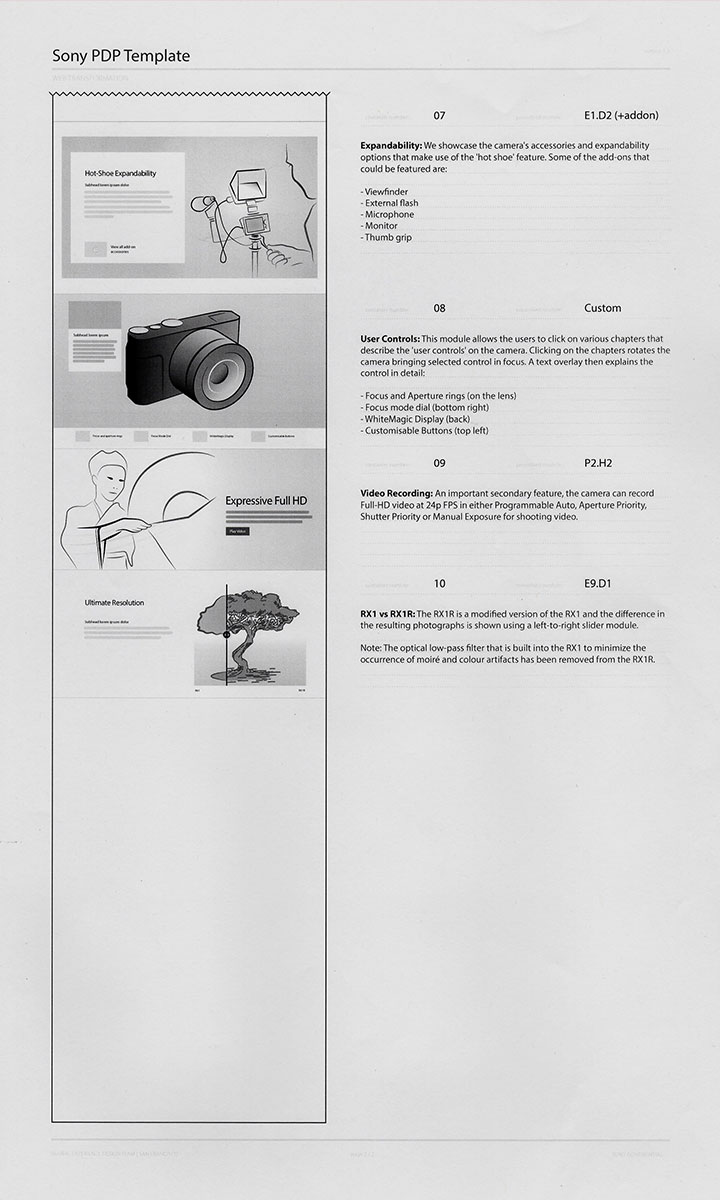
The RX1 was Sony's first compact camera with a full-frame sensor, paired with a fixed 35mm lens. It was also considerably more expensive than most compact cameras. Shoppers needed to understand what full frame meant in a camera this small, and why it was worth the price.
Step 1: Product Research
As the information architect, my work began with product research. Working with the product development team, I learned what set the camera apart at the time, and which of those differences mattered most to the people buying it.
Step 2: Content Sorting
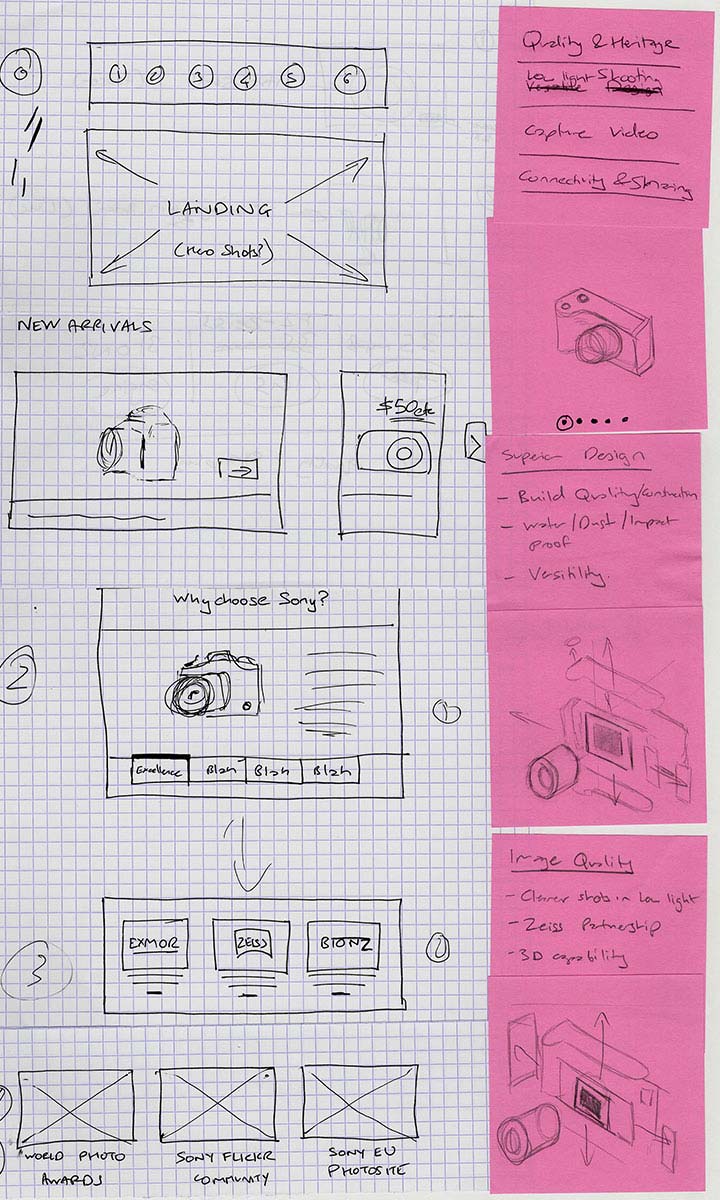
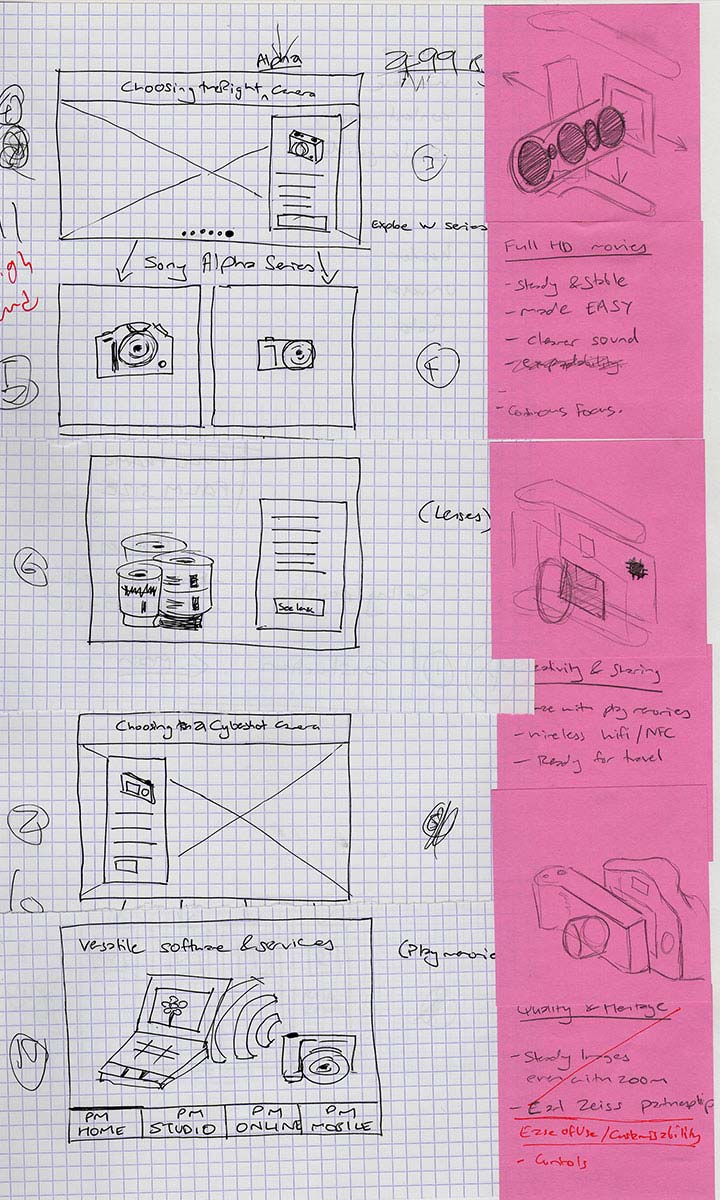
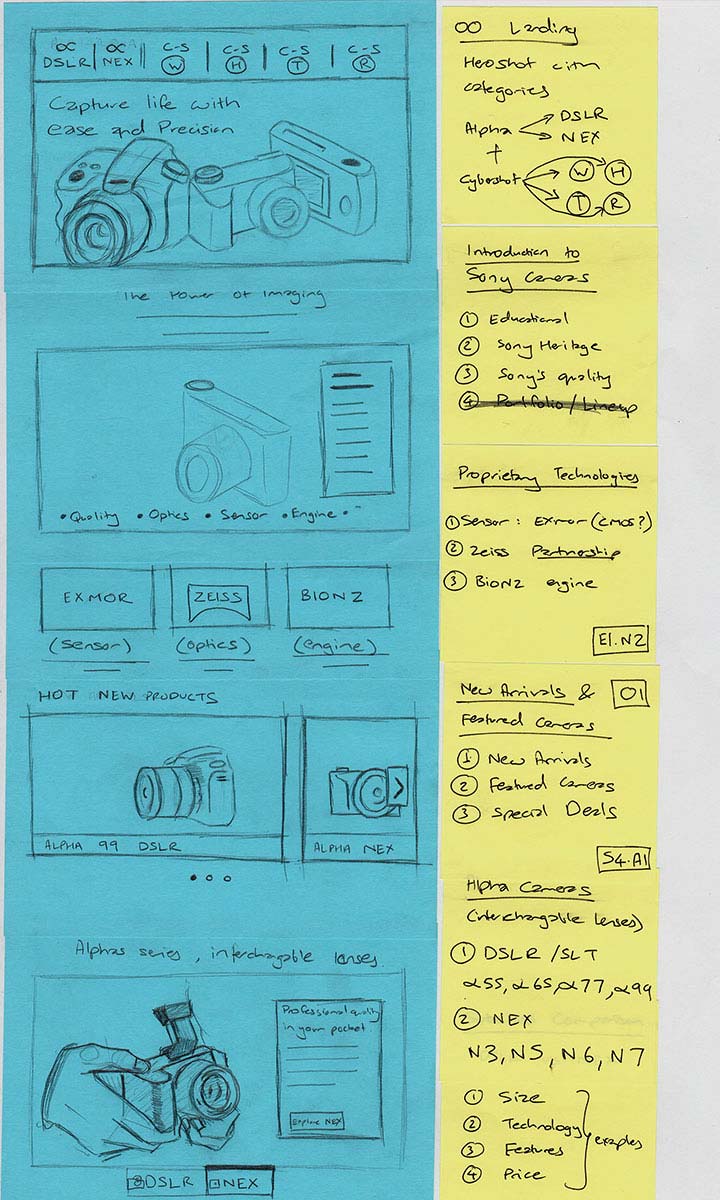
Content sorting came next, in partnership with product and experience designers. Together, we tested how the page content, the story of the product, should be grouped and prioritised, so that the structure matched how people think about the camera.
Step 3: Storyboarding
Finally, I developed the storyboards and presented them, with the reasons behind each variation, to stakeholders and business leads. Look closely at the illustrations in the storyboards—they inspired the product photography in the production designs!
Product Research
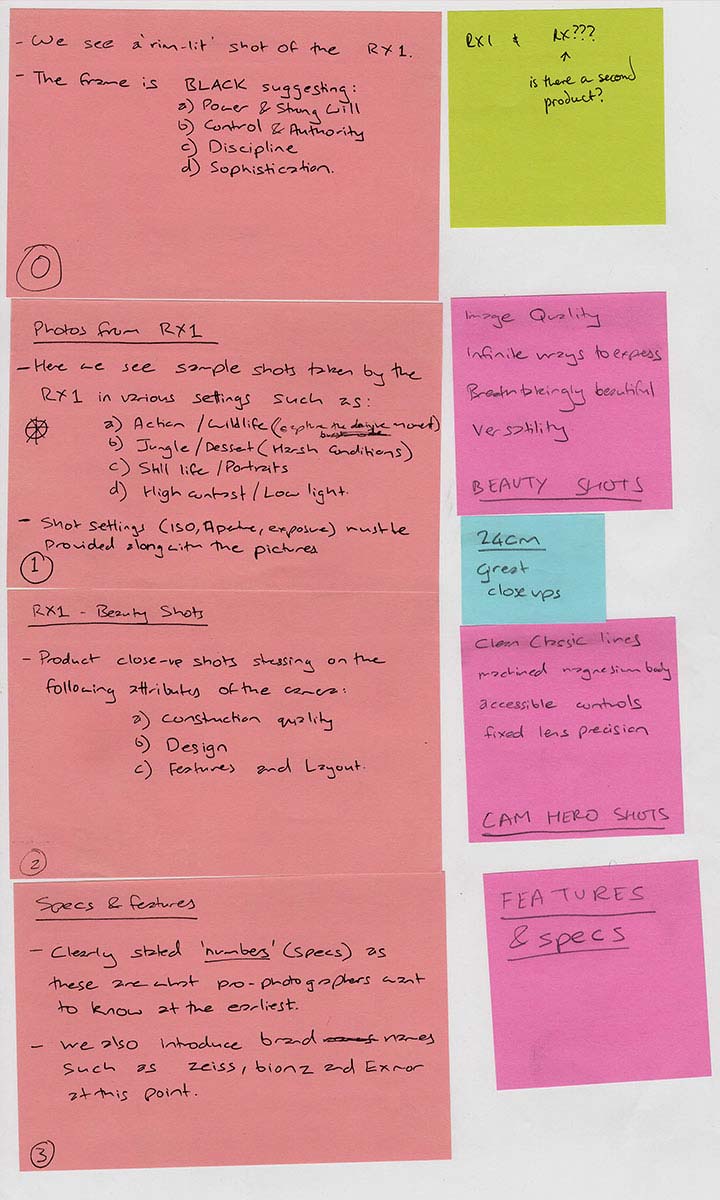
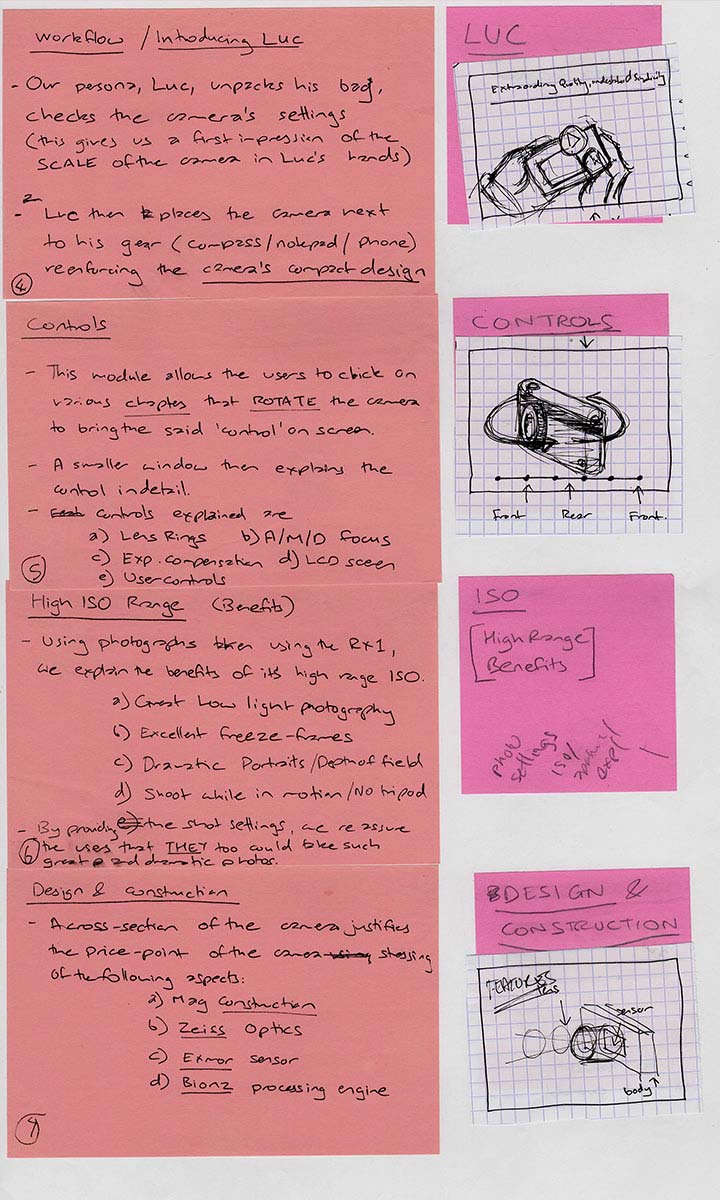
Content Sorting
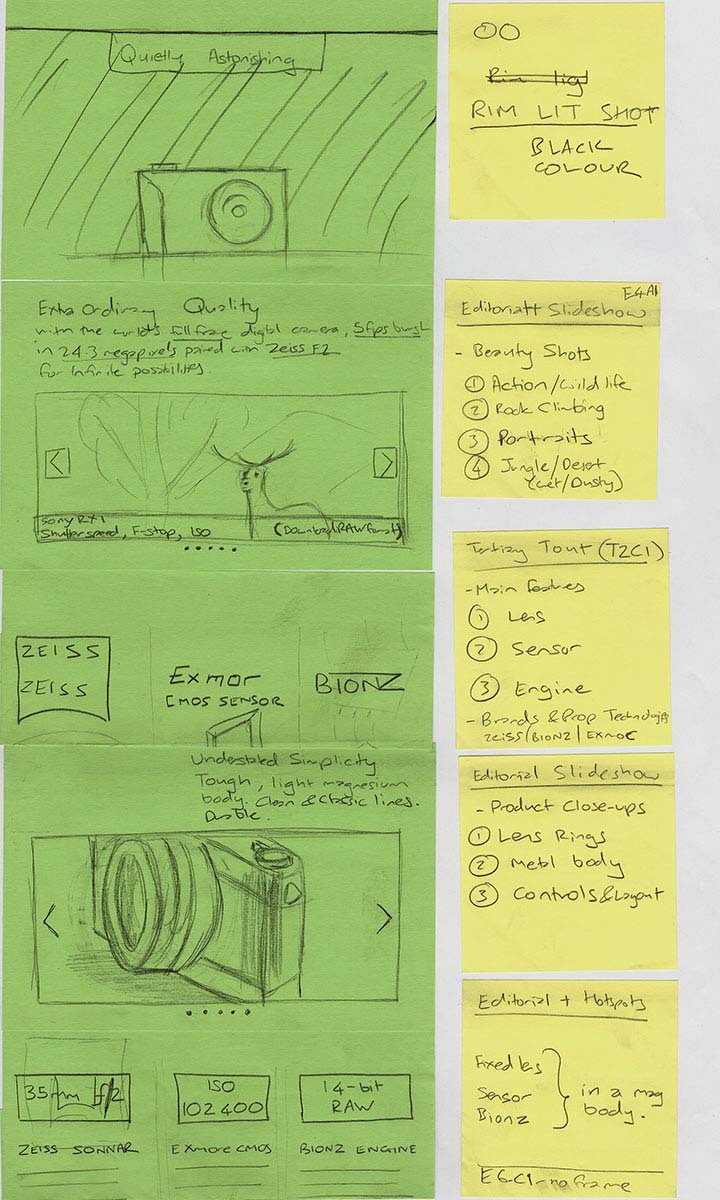
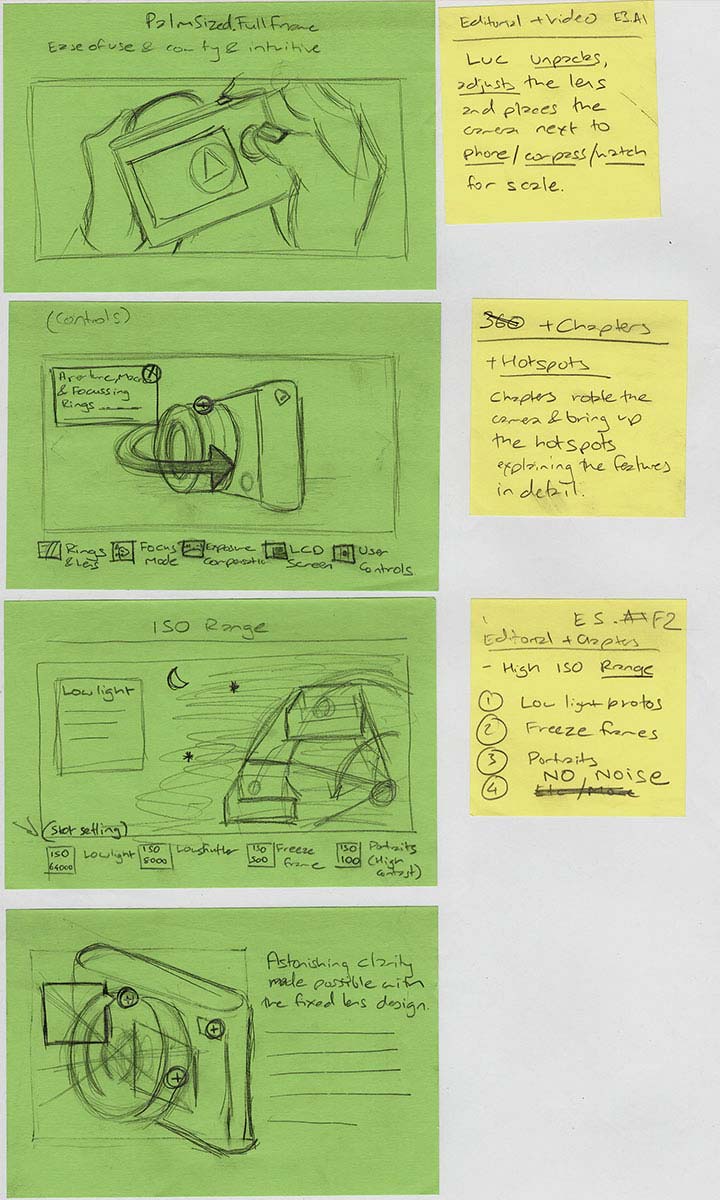
Storyboarding
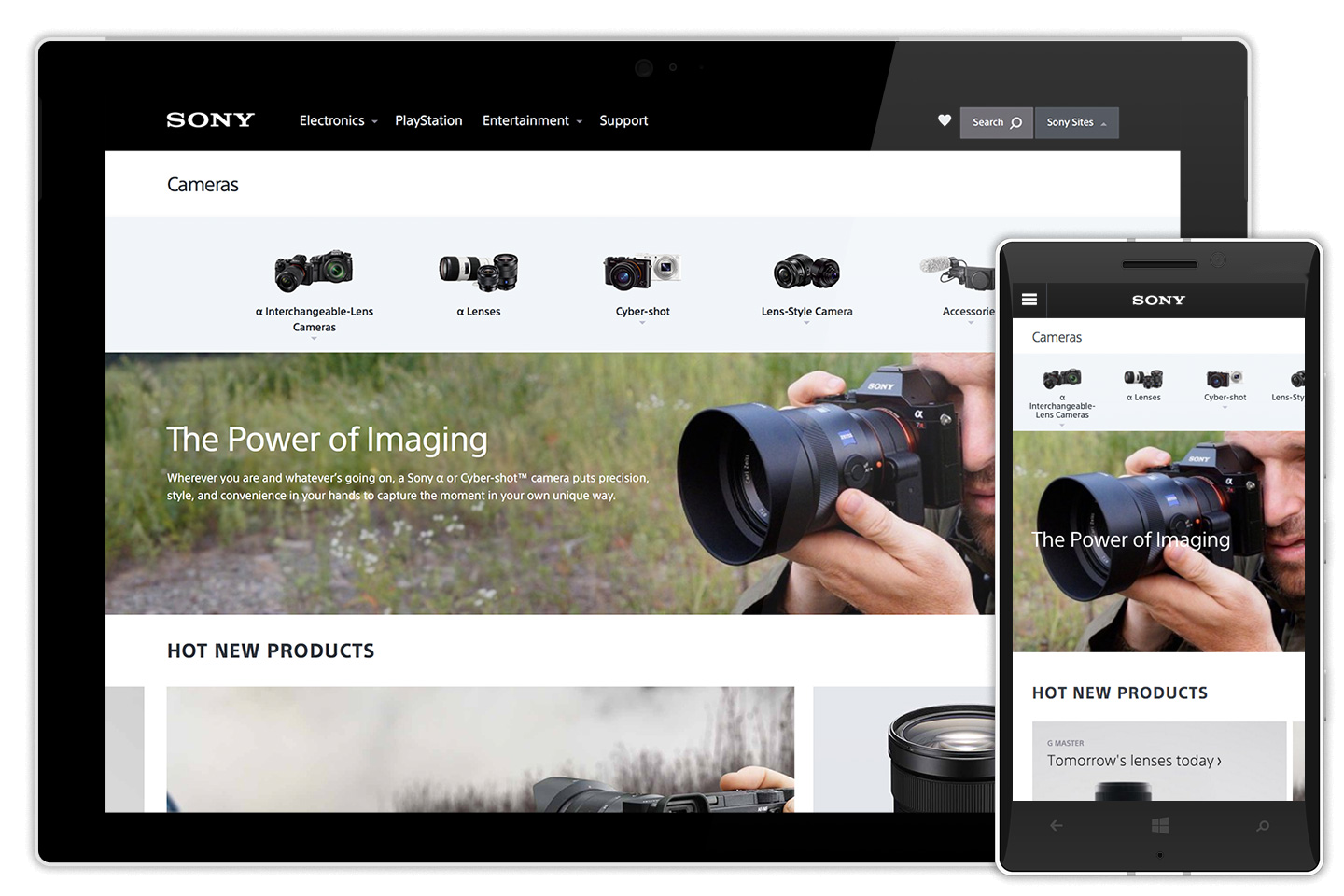
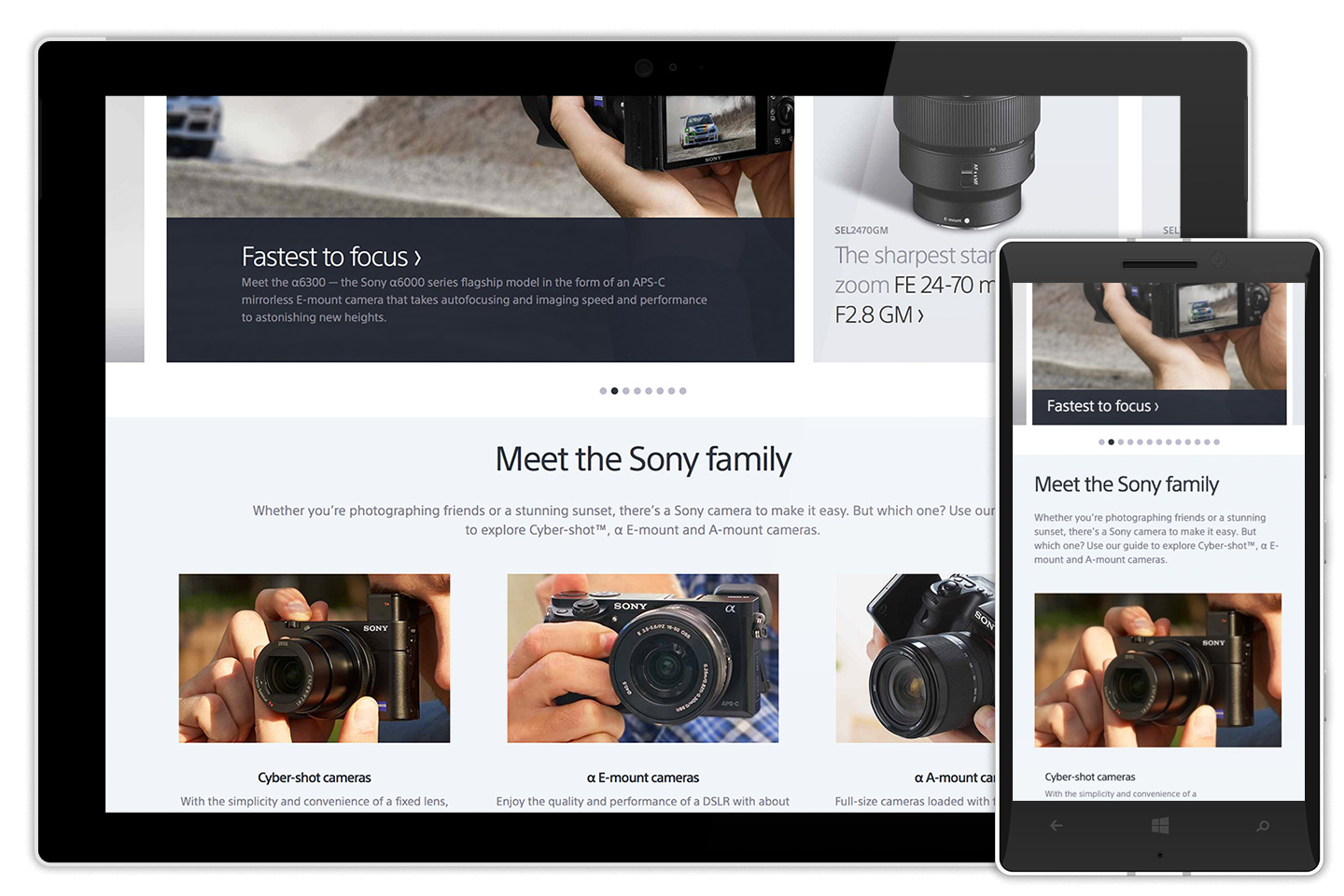
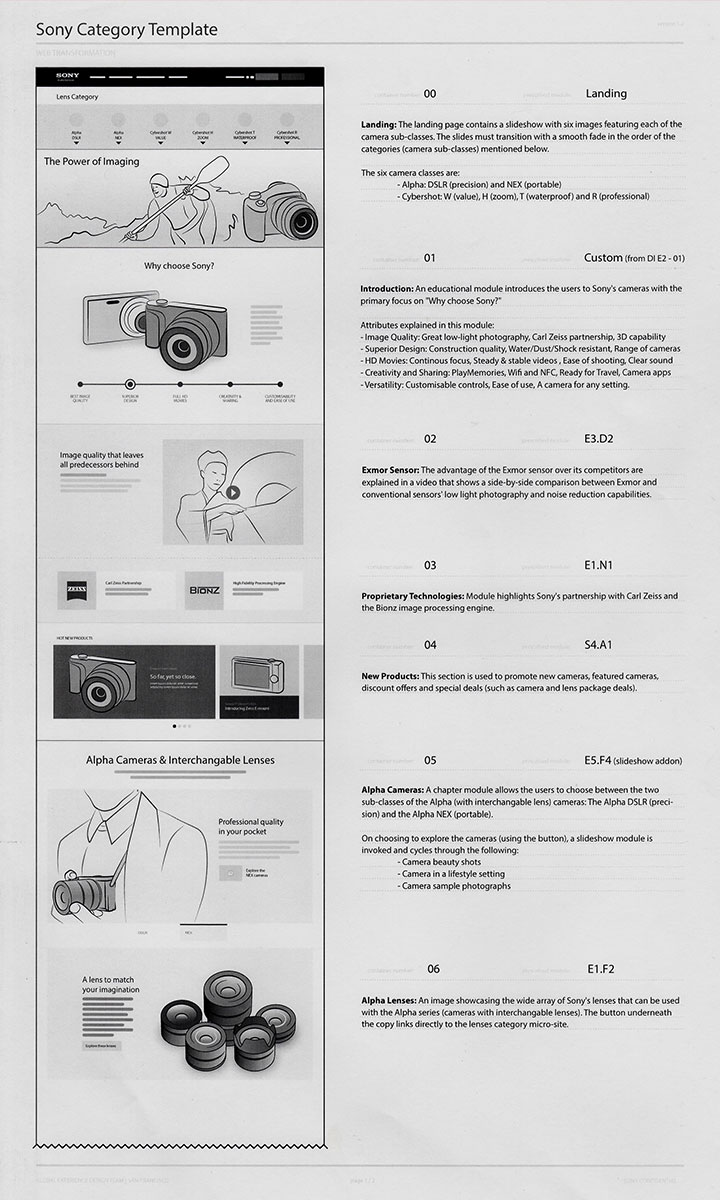
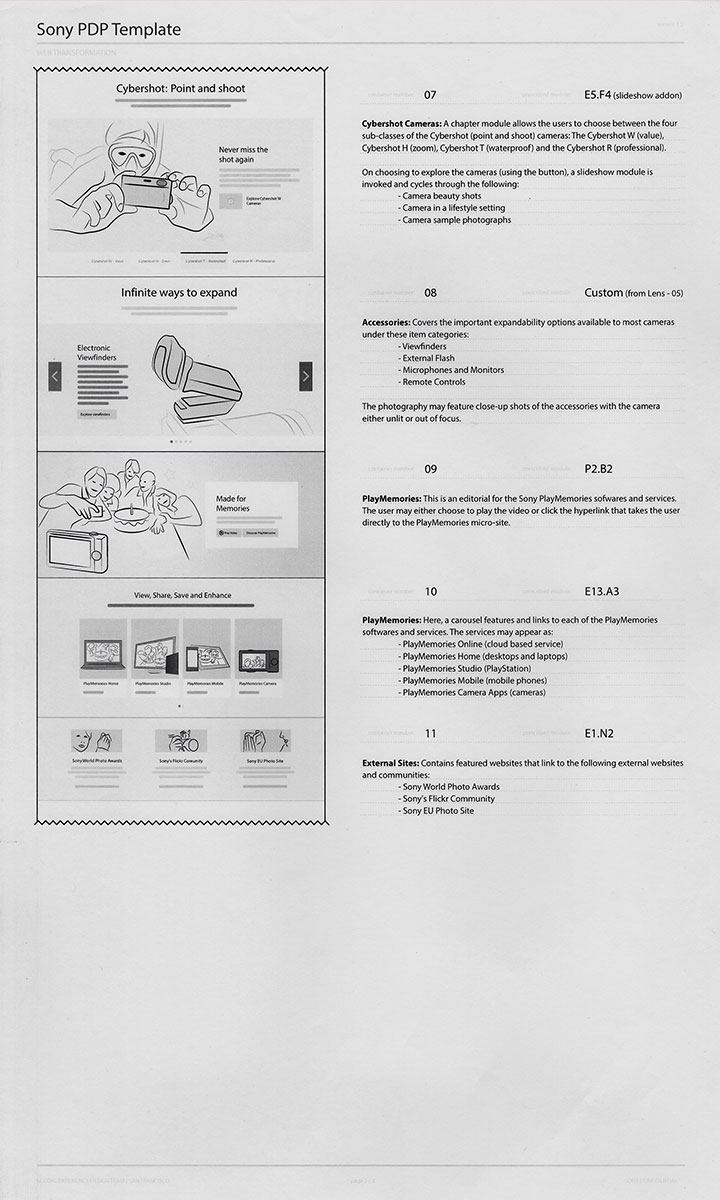
A product category page is where shoppers choose between Sony Imaging products. Our camera range and lens catalogue was large, and model names alone did not explain how one camera differed from another. How do we guide professional photographers to point-and-shoot enthusiasts, to the right camera and a compatible lens?
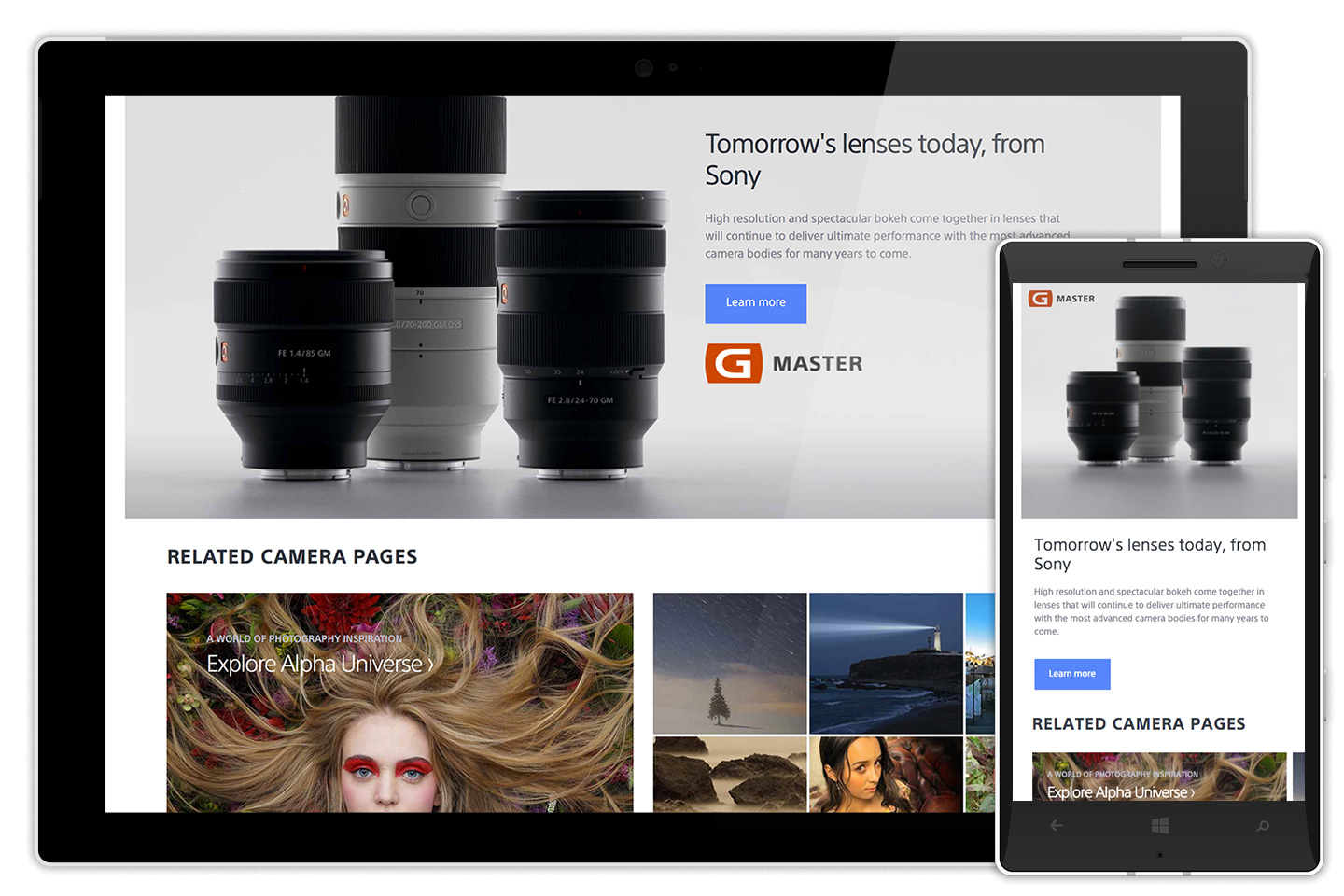
Step 1: Product Research
I worked with the product development team to learn how the product lines differed, and which differences mattered to shoppers. Everything that followed was built around one need: helping users match the right camera to compatible lenses and accessories.
Step 2: Content Sorting
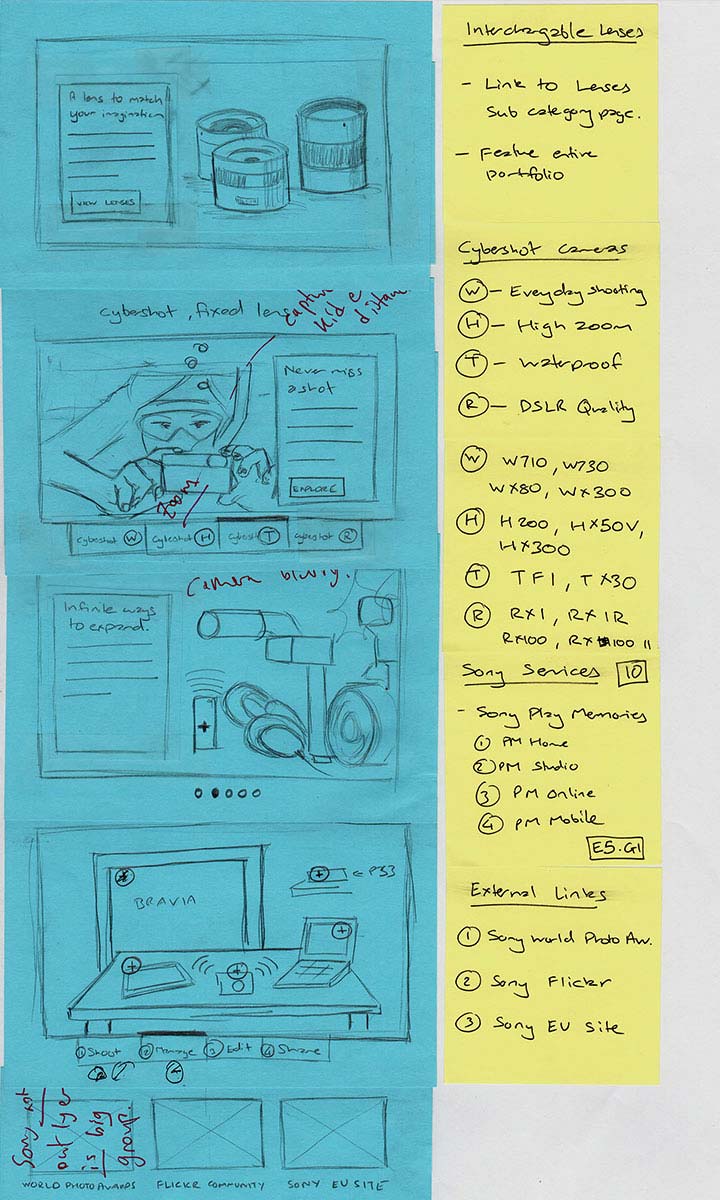
Card sorting followed, with product and experience designers. It helped us decide how to group the range, so that choosing a camera would feel natural. We then narrowed down the compatible lenses and accessories to match each shopper's needs.
Step 3: Storyboarding
Finally, I presented the options, with the reasons behind each one, to stakeholders and business leads. Read this Sony Imaging case study to see how the approach helped create a scalable solution to Sony's camera, lens and accessory compatibility problems.
Product Research
Content Sorting
Storyboarding
© 2026 Ash Queny Gatne. All rights reserved.
Some details, data, and visuals shown here have been altered or simplified to respect client confidentiality and non-disclosure agreements. All case studies reflect my individual contributions within larger team efforts, and views expressed are my own, not those of any current or former employer.